Calm enough to use on a normal day.
Tap “I’m OK”
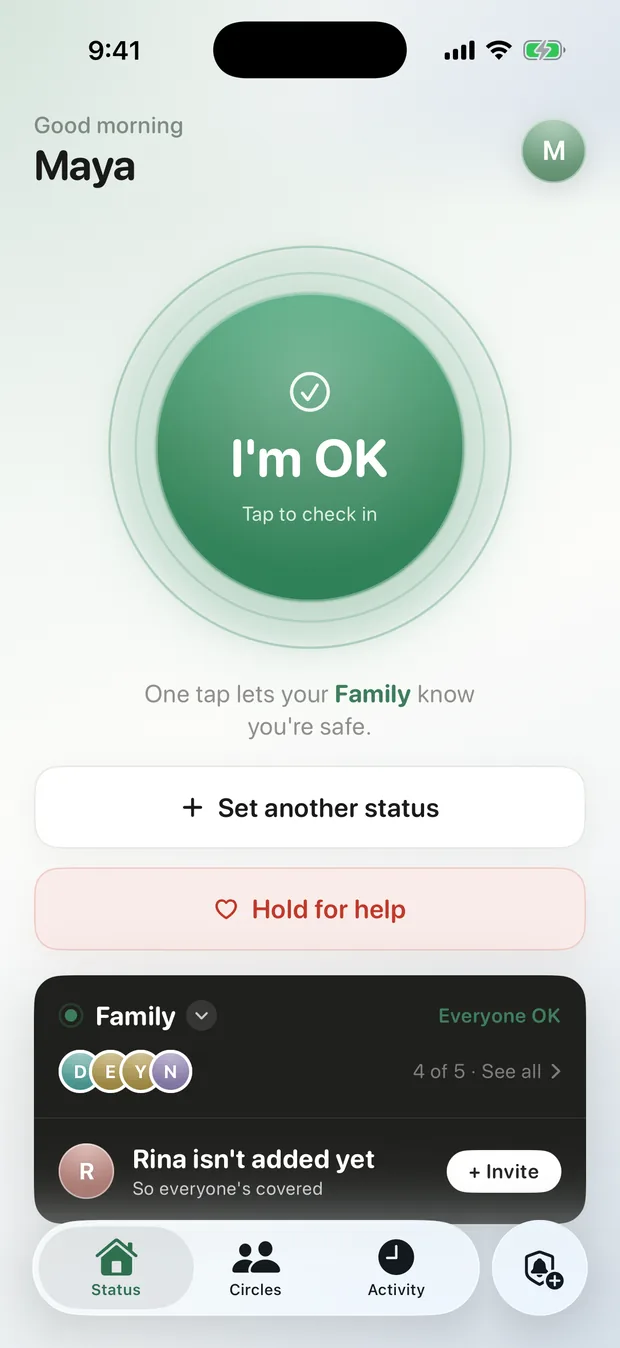
The home screen is dominated by a single big button. One tap broadcasts your status to the active circle — stamped with your general area and the time. That’s the entire product, the rest is gravy.
A quiet confirmation
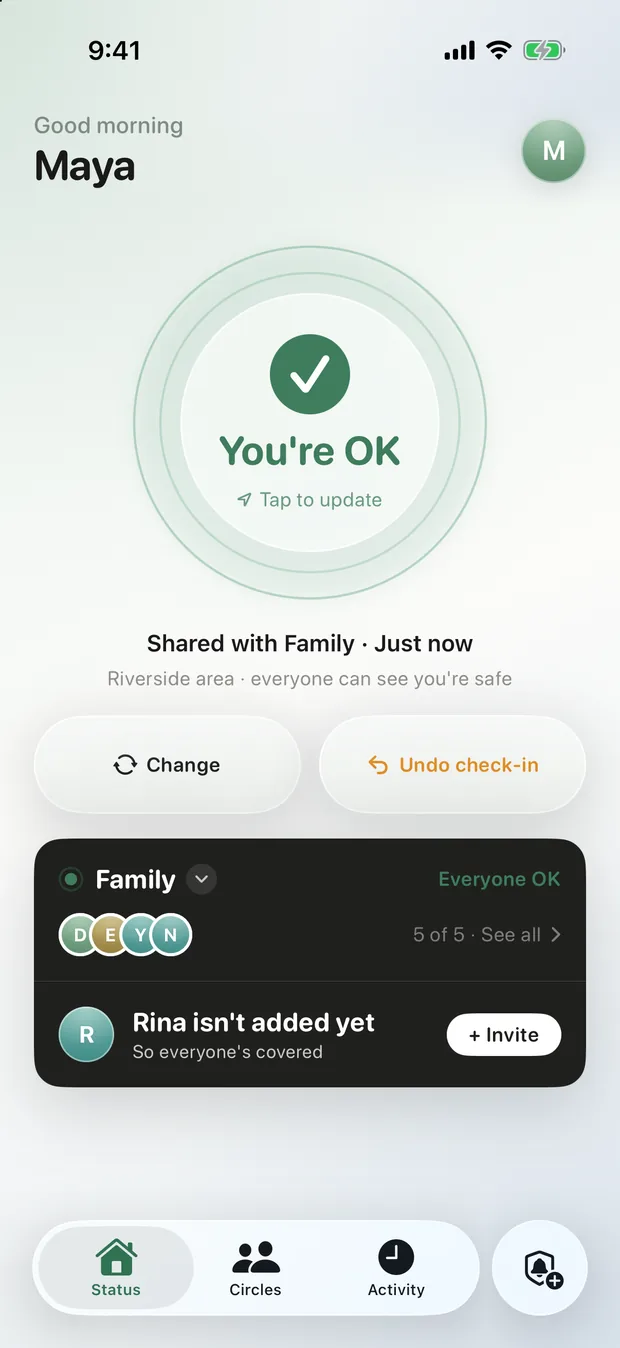
No fanfare, no celebratory noise. Just a soft “You’re OK — tap to update.” The app’s whole job is to reduce anxiety, so the confirmation does too.
See everyone at a glance
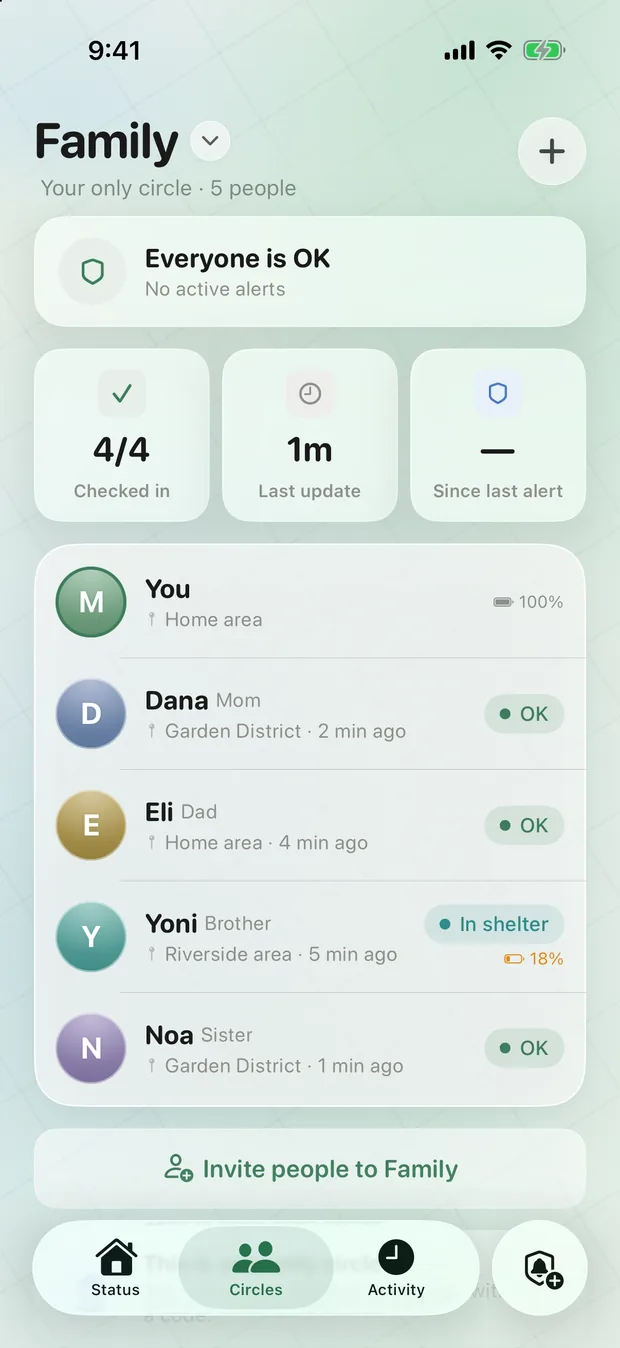
The circle dashboard shows every member’s status, area, and battery — plus who’s still to respond. “4 of 5 checked in,” readable in half a second. From here, anyone can raise an alert.
A timeline you rarely need
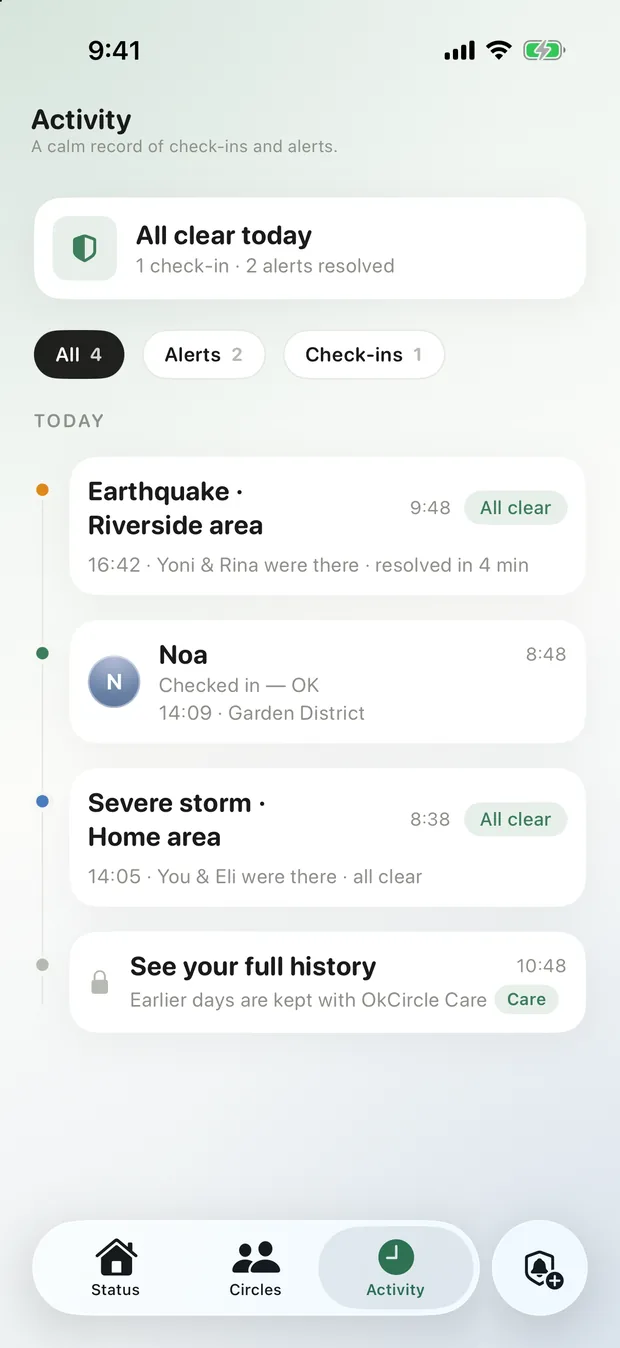
Activity is a quiet, reverse-chronological log of check-ins and resolved alerts — “all clear in 4 min.” Recent history is free; the full record lives in Care.
Urgent when it must be. Calm when it can be.
OkCircle reads the room. An official hazard in your area takes over the screen for a one-tap reply. The same hazard only nearby is a quiet banner that never interrupts.
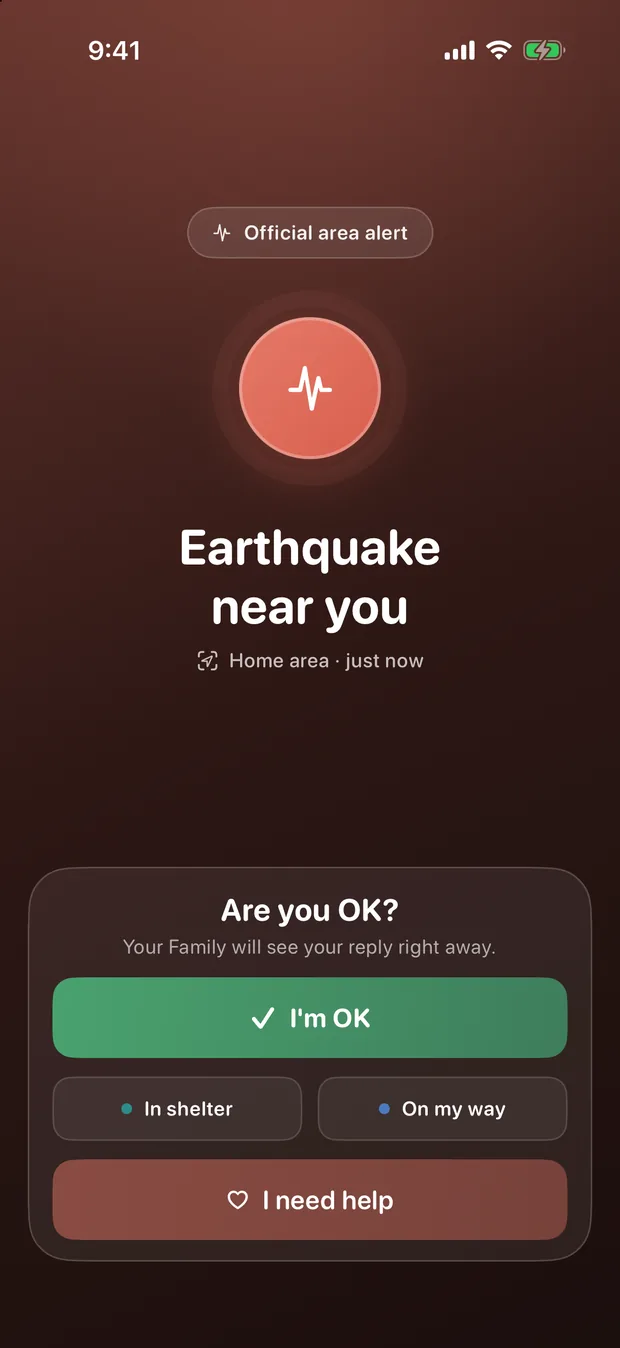
Are you safe?
A full-screen prompt — earthquake, wildfire, flood, siren, security alert. One tap to reassure everyone, secondary statuses underneath.
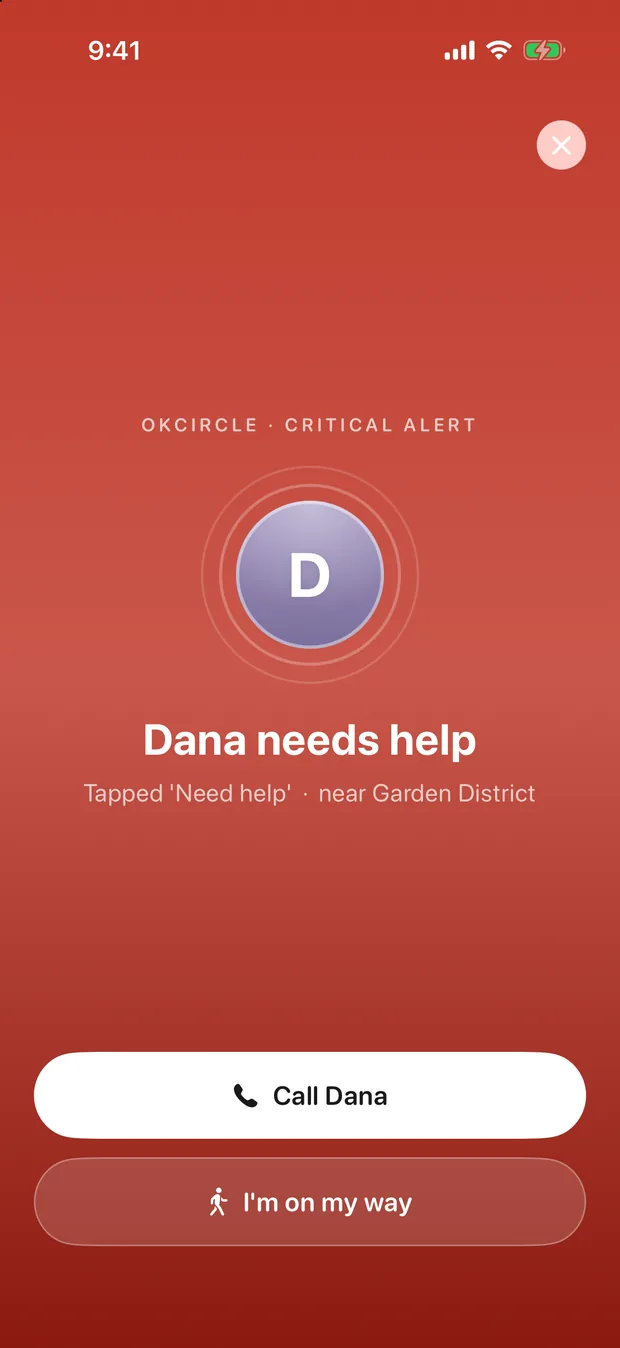
Call · On my way
When a member holds for help, the people closest see it first — with one tap to call or say “I’m on my way.”
Raise an alert — a check-in round
Any member asks the whole circle “are you OK?” at once, then watches replies arrive and nudges those still waiting.
Eight statuses. One fixed colour each.
Used consistently across every screen, so a status reads the same whether you’re glancing at the board or replying from a browser.
Ready in a minute.
Create a circle, invite your people, and the next time the ground shakes — everyone breathes.